
Table of Contents
Commercial gate automation Melbourne is not only about adding a motor to an existing gate. For business sites, the system has to control who can enter, when they can enter, how vehicles queue, how visitors are verified, how people stay separated from traffic and how the gate remains safe during faults, power loss and maintenance.
Pentagon Fencing & Gates installs sliding gate systems across Melbourne for commercial, industrial and large-scale projects, with automation, vehicle detection loops, safety beams, remote access control and CCTV or site-security integration [1]. Pentagon also provides automated swing gate systems for commercial and industrial environments, including keypad, swipe-card or access-control integration and safety features such as photo sensors and auto-stop mechanisms [2].
Why commercial gate automation is easy to specify incorrectly
- You automate a gate before confirming whether the site needs a sliding, swing, cantilever or pedestrian access solution.
- You choose a keypad, fob or intercom before mapping who needs access: staff, visitors, contractors, couriers, trucks, cleaners, tenants or emergency responders.
- You focus on convenience while leaving safety beams, pressure edges, manual release, emergency access and maintenance procedures unclear.
- You add CCTV, intercoms or access-control hardware after the gate is installed, creating poor cabling routes, blind camera angles or unsafe stopping positions.
- You compare gate motor prices without checking gate weight, daily cycles, duty rating, power supply, backup, integration, commissioning and handover scope.
Key Takeaways
- Gate automation Melbourne projects should be planned as access-control systems, not standalone motor installations.
- A strong commercial gate automation scope covers gate type, gate motor, safety devices, access credentials, visitor workflow, CCTV integration, manual release, emergency access and maintenance.
- For automatic gate installation Melbourne projects, triggers can include remote controls, RFID cards, keypads, intercoms, vehicle detection loops and integrated access-control systems [3].
- Cantilever and sliding gate systems can integrate with keypads, key fobs, swipe cards, PIN readers, smartphone apps, intercoms, ANPR, loop detectors, safety devices, remote monitoring and battery backup depending on the project scope [4].
- Powered gate safety must be treated as a design and maintenance issue. HSE says a powered gate must respond safely when a person interacts with it and must account for foreseeable interaction, wear, adverse weather and debris [5].
What is commercial gate automation?
Commercial gate automation is the combination of a powered gate operator, controls, safety devices and access-management hardware used to open, close and secure a business-site gate. It can be applied to sliding gates, cantilever gates, swing gates and selected pedestrian gates, depending on the site layout and traffic pattern.
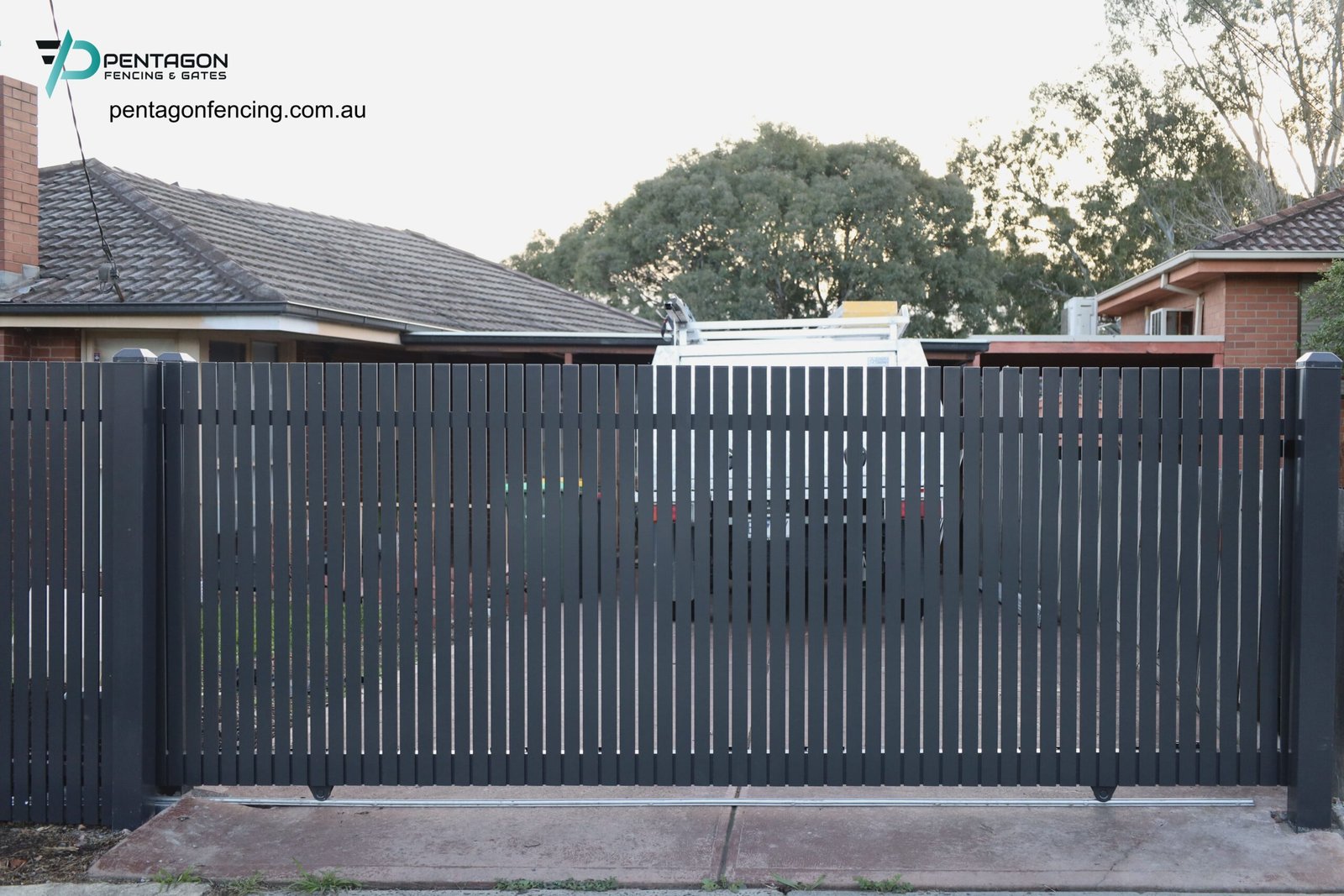
The system usually includes a gate motor, control board, safety devices, trigger devices, locks or magnetic hardware where needed, power supply, conduit, cabling, manual release, commissioning and maintenance instructions. The access-control layer may include remote transmitters, keypad gate entry, intercoms, RFID or swipe credentials, mobile access, vehicle loops, ANPR, CCTV integration and time-based rules.
The main decision is not “which motor is cheapest?” It is “which gate automation and access-control setup fits the users, vehicles, risk level and operating hours of this business site?”
Access control options for commercial gates
This matrix compares common access-control methods for automated gates commercial buyers. The right option often combines more than one method, such as staff RFID, visitor intercom and vehicle loop exit.
| Access option | Best fit | Strength | Watch-out | Specification check |
|---|---|---|---|---|
| Remote transmitters or fobs | Small teams, fleet yards, after-hours staff and managed vehicle users. | Fast and familiar for repeat users without needing to stop at a keypad. | Lost or duplicated transmitters must be disabled or replaced through a clear admin process. | Number of users, transmitter type, rolling code, replacement process and access revocation. |
| Keypad gate entry | Small commercial sites, staff parking, service yards, low-to-medium traffic and temporary contractor access. | No physical credential required; codes can be changed when staff or contractors leave. | Shared codes can spread quickly and should not be the only control for high-risk sites. | Code policy, mounting height, weather protection, stopping position and visitor fallback. |
| Intercom gate system | Visitor access, offices, schools, healthcare sites, apartments, mixed-use sites and controlled receptions. | Supports voice or video verification before release. Gate Automation lists audio/video and app-connected intercom entry among access-control types [6]. | Poor signage or camera angle can leave visitors waiting in unsafe or unclear positions. | Call routing, video view, lighting, reception workflow, after-hours logic and release record. |
| RFID gate access, swipe cards or proximity fobs | Staff car parks, business parks, warehouses, schools, strata sites and multi-tenant commercial sites. | Credentials can be issued, assigned and removed more cleanly than shared PIN codes. | Requires credential administration, reader placement, cabling and a process for lost cards or departed staff. | User groups, permission levels, reader type, access logs, revocation process and data owner. |
| Mobile, GSM or app-based access | Unmanned sites, small business owners, managed trades, after-hours contractors and multi-site operators. | Can reduce physical credential handling and allow remote release or time-based permissions. | Connectivity, admin rights, backup release and phone ownership must be controlled. | Network coverage, administrator roles, access history, backup method and cyber/admin process. |
| Vehicle loops, ANPR or sensor triggers | Warehouse exits, logistics gates, car parks, controlled fleets and high-throughput business entries. | Can reduce stopping delays and support hands-free vehicle movement where the site logic allows it. | Trigger placement can create unsafe queueing or allow unintended activation if not designed properly. | Entry/exit logic, loop location, ANPR list management, vehicle classes and safety-device interaction. |
| Guard, reception or scheduled control | Sites with visitors, deliveries, shift changes, event periods, schools or mixed business access. | Human approval or time-based logic can handle exceptions better than a fully automatic trigger. | The process can fail if reception, guards and site users are not trained on the same access rules. | Access hours, emergency overrides, visitor sign-in, delivery rules and after-hours escalation. |
Business-site fit matrix
A business gate should be specified from real site flow. The same hardware can work well at one property and create delays or safety issues at another.
| Business site | Access pressure | Gate automation direction | Access-control direction | Watch-out |
|---|---|---|---|---|
| Warehouse or logistics yard | Frequent trucks, staff vehicles, delivery peaks, forklift zones and after-hours access. | Shortlist sliding or cantilever automation where wide vehicle movement and run-back conditions fit. | RFID, remotes, loop detectors, intercom for visitors, CCTV integration and emergency access. | Do not make trucks stop across public roads, footpaths or pedestrian paths while waiting for gate release. |
| Office, business park or commercial car park | Staff peaks, visitors, tenant turnover, shared parking and after-hours access. | Select a gate movement that handles arrival peaks without blocking visitor lanes or exits. | Swipe access, fobs, keypad backup, intercom and time-based permissions. | Credential admin matters: former staff, tenants and contractors need access removed quickly. |
| Retail, service yard or back-of-house area | Deliveries, cleaners, waste access, staff parking, customer visibility and restricted storage. | Use automation where gate use is frequent enough to justify powered operation and site security benefits. | Keypad, remote, intercom, CCTV, lighting and scheduled open periods if deliveries are predictable. | A service gate that stays open during deliveries can defeat the perimeter plan. |
| School, healthcare or community facility | Visitors, staff, students, patients, deliveries and vulnerable users may interact near the gate. | Separate vehicle and pedestrian access first, then automate only the gate movements that support safe supervision. | Intercom, camera, staff credentials, visitor release, time schedules and emergency access. | Do not release pedestrians into vehicle or forklift movement without a controlled path. |
| Industrial compound or restricted asset area | Lower traffic but higher consequence if the gate is bypassed, left open or opened for the wrong user. | Match the gate system to the fence, locks, monitoring and asset-protection plan. | Restricted RFID, audit trail, CCTV, alarms, interlock or remote monitoring where justified. | Manual release and emergency access must remain secure and documented. |
| Multi-tenant commercial or strata site | Multiple businesses, changing tenants, visitor parking, trades and shared administration. | Choose hardware that can be maintained and administered by the property manager over time. | Credentials by tenant group, time-based permissions, intercom directory and access logs. | Avoid systems that require one person to manually manage every small credential change without process support. |
Gate type still matters: sliding, swing, cantilever and pedestrian access
This article owns the automation and access-control decision. The physical gate movement still needs to be selected correctly, but the deeper product decision should be handled in the relevant gate-type guide.
- Sliding gates: suitable where the gate moves parallel to the fence and the site has suitable run-back, track or ground conditions.
- Cantilever gates: useful where a track-free opening is needed because gravel, debris, heavy vehicle movement or changing surfaces could affect a ground track.
- Swing gates: suitable where the site has enough clear arc space and the opening pattern does not create traffic or pedestrian conflicts.
- Pedestrian gates: important where staff, students, visitors or residents need a separate access route from vehicles.
- Boom gates or barriers: may be relevant where the goal is rapid vehicle control rather than full perimeter closure.
For commercial sites, the automation plan should be created after the gate movement has been checked but before cabling, conduit, concrete, intercom placement and access-control hardware are locked.
Safety and risk-control matrix for automated gates
Powered gates are moving systems. Safety must be designed around the installed gate, site users and foreseeable interactions.
| Risk area | Why it matters | Control direction | Evidence to request |
|---|---|---|---|
| Crush, shear and trapping points | Sliding and swing gates create moving edges, fixed-object gaps, hinge zones, drive hardware and closing points. | Use a site-specific risk assessment, guarding, safe speed, force limitation, pressure edges, photocells or other devices where appropriate. HSE lists these as possible powered-gate safety measures [5]. | Risk assessment, safety-device layout, commissioning tests and user instructions. |
| Falling, damaged or unhinged gate | Industrial gates can be heavy, and lack of inspection can cause serious incidents. | SafeWork NSW says lack of maintenance was the main cause of notified industrial-gate incidents where gates fell or became unhinged [7]. | Maintenance schedule, inspection checklist, post/hinge/track details and repair records. |
| Vehicle and pedestrian conflict | Commercial gates often sit where cars, trucks, forklifts, visitors and staff interact. | WorkSafe Victoria warns that forklifts can cause serious injuries and fatalities when pedestrians are not physically separated from forklift movement [8]. | Traffic plan, pedestrian route, physical separation, signage, lighting and gate trigger map. |
| Access to facilities across forklift routes | A gate can release people into a route that appears controlled at the boundary but unsafe inside the site. | WorkSafe Victoria’s forklift planning guidance asks whether pedestrians and forklifts are physically separated and whether facility access requires pedestrians to cross forklift routes [9]. | Internal route review, pedestrian gate location, barrier plan and staff/visitor instructions. |
| Power loss, fault and manual release | A commercial site must still handle emergency access, authorised entry and secure closure during power or motor faults. | Plan battery backup, manual release, restricted-use instructions, technician access and a fault-response process. | Manual-release instructions, backup-power scope, emergency access process and maintenance contact. |
CCTV, lighting and perimeter-security integration
Gate automation works best when it is connected to the broader site-security plan. Pentagon notes that sliding gates can integrate with CCTV and site-security infrastructure so access points can be monitored, recorded and controlled in real time [1].
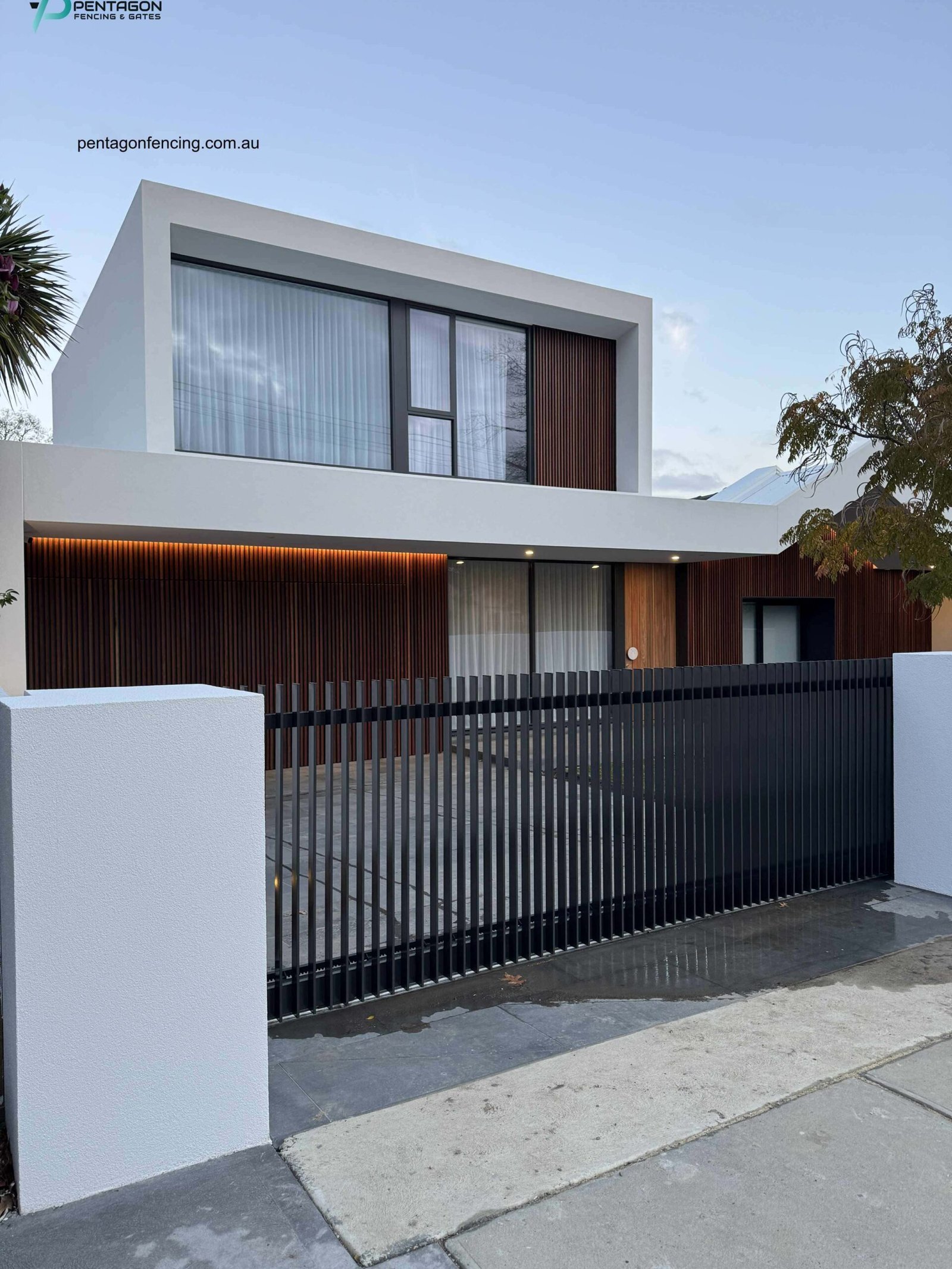
Victoria Police advises businesses to install exterior lighting at entry points and boundaries, ensure fences and gates are well-built, maintained and secured, use good-quality locks, install cameras and a monitored alarm system, display security signage and keep boundaries clear of climbing aids [10].
- CCTV integration: position cameras so they see the gate approach, vehicle waiting area, intercom user and gate leaf movement.
- Lighting: support camera performance and safe use of keypads, intercoms and pedestrian paths at night.
- Alarm or monitoring: consider open-too-long alerts, forced-open events, after-hours access and fault notifications where site risk justifies it.
- Signage: make visitor entry, deliveries, emergency access and authorised-user rules clear.
- Boundary housekeeping: remove bins, pallets, vegetation or stored goods that can block sensors, cameras or gate travel.
Gate motor, duty cycle and automation reliability
Gate motor selection should follow measured requirements. The important inputs include gate weight, gate length, travel distance, wind exposure, rolling resistance, hinge geometry, number of daily cycles, peak-hour use, speed requirement, power supply and whether the site needs battery backup or remote diagnostics.
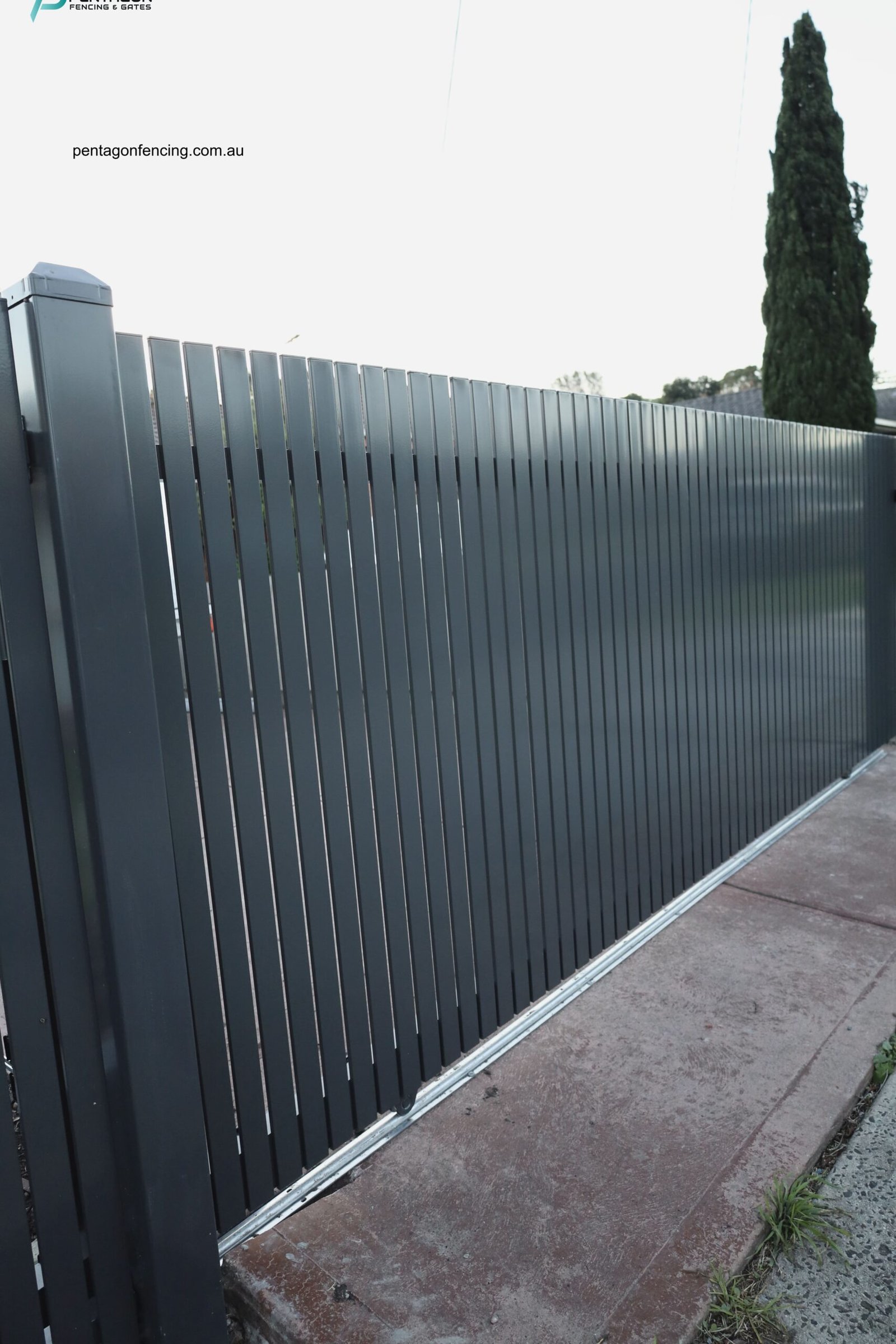
A motor that works during light testing can still fail if a business site has repeated truck movements, constant staff cycles, poor alignment, debris in a track or a gate that is heavier than expected. For commercial site access, the quote should make the duty assumptions visible rather than hiding them inside a generic “automation package”.
- Gate weight: include the frame, infill, cladding, hardware and future modifications.
- Daily cycles: count staff arrivals, deliveries, visitor movements, after-hours access and peak periods.
- Environment: check rain, wind, dust, gravel, wash-down, debris and vehicle impact risk.
- Safety devices: plan beams, edges, loops, warning lights or other devices based on the risk assessment.
- Reliability: define maintenance intervals, spare parts, fault notification and who can safely isolate or release the gate.
What affects commercial gate automation cost?
Commercial gate automation pricing should be compared by equivalent system scope, not only by motor price. A basic motor installation and a fully integrated business-site access system are not the same project.
| Cost driver | Effect on the quote | Caveat | Evidence to request |
|---|---|---|---|
| Existing gate condition | A gate may need new posts, hinges, rollers, track, guides, stops or alignment before it can be automated safely. | Automating a weak or misaligned gate can increase safety and maintenance risk. | Gate condition report, repair scope and confirmation that the gate is suitable for automation. |
| Gate type and motor duty | Sliding, swing and cantilever gates use different motors, brackets, guide systems and force calculations. | A residential-duty operator may not suit repeated commercial cycles or heavy industrial gates. | Motor model, rated gate weight, duty/cycle assumptions, power supply and warranty conditions. |
| Access-control hardware | Keypads, fobs, RFID readers, intercoms, ANPR, loops, GSM modules and mobile access add equipment and commissioning time. | Hardware cost is only part of the project; user setup and ongoing administration must also be defined. | User groups, credential count, admin owner, cabling plan and integration responsibility. |
| Safety devices and commissioning | Photocells, pressure edges, warning lights, vehicle loops, force settings and test records add scope. | Safety should not be treated as an optional accessory package. | Risk assessment, device layout, commissioning tests and user instructions. |
| Electrical, conduit and civil works | Power supply, trenching, conduit, concrete, saw cutting, posts and control pedestals can change the job size. | Retrofitting cabling after the gate is built can be more disruptive than planning it early. | Electrical scope, conduit route, civil works, exclusions and site access assumptions. |
| CCTV, alarm or system integration | Integration with cameras, alarms, monitoring, intercom directories or building systems adds design and commissioning. | Responsibility can become unclear if different contractors handle gates, electrical, security and IT. | Integration diagram, contractor responsibilities, handover documents and support process. |
| Maintenance and support | Scheduled inspections, fault response, spare parts, credential support and documentation add long-term value. | A cheaper quote that excludes maintenance can cost more if the gate becomes unreliable or unsafe. | Maintenance interval, fault-response process, service inclusions and emergency contact. |
Seven-step implementation flow
- Map user groups. Separate staff, tenants, visitors, couriers, contractors, emergency services, cleaners, managers and restricted users.
- Map vehicle and pedestrian movement. Confirm entry lanes, exit lanes, stopping areas, queues, walkways, forklift routes, delivery bays and after-hours access.
- Confirm the gate type. Choose sliding, swing, cantilever, pedestrian or barrier control before specifying motors and access hardware.
- Select access-control methods. Match keypads, RFID, swipe access, intercoms, remotes, loops, ANPR, mobile access or scheduled control to each user group.
- Design safety and fail-safe behaviour. Plan safety devices, manual release, emergency access, power loss, restricted-use instructions and maintenance isolation.
- Coordinate integration. Align CCTV, lighting, alarms, security systems, electrical work, conduit, building systems and access-control administration.
- Lock handover and maintenance. Require commissioning records, user instructions, credential setup, service intervals, fault escalation and responsibility for future changes.
Commercial gate automation project checklist
- Gate type: sliding, cantilever, swing, boom, side gate or pedestrian gate.
- Gate condition: posts, hinges, track, rollers, guides, stops, frame, infill, locks and manual operation.
- Users: staff, tenants, visitors, deliveries, trucks, contractors, cleaners, residents and emergency services.
- Access control: remotes, keypads, RFID, swipe access, intercom, mobile access, ANPR, loops, schedules and admin process.
- Safety: risk assessment, beams, edges, force settings, warning lights, emergency stop or isolation and commissioning tests.
- Power and backup: mains supply, conduit, battery backup, solar suitability, UPS, manual release and fault procedure.
- Security integration: CCTV, lighting, alarms, signage, open-too-long alerts, remote monitoring and response process.
- Operations: traffic peaks, delivery hours, visitor process, after-hours access, credential revocation and maintenance windows.
- Handover: user training, keys or credentials, admin rights, manuals, commissioning records, warranty and maintenance schedule.
Common mistakes to avoid
- Automating the wrong gate type. A motor cannot fix poor run-back, swing clearance, truck queuing or pedestrian conflict.
- Using one credential for everyone. Staff, visitors, contractors and delivery drivers usually need different access rules.
- Ignoring the manual-release scenario. The site still needs a safe and secure process during power loss, motor fault or emergency access.
- Letting the gate open into unsafe traffic flow. Gate access should not release pedestrians into forklift or truck routes without controls.
- Under-scoping cabling and integration. CCTV, intercom, access readers and loops should be planned before concrete and conduit work begins.
- Skipping maintenance planning. Commercial gates are operational assets; tracks, hinges, motors, sensors, readers and credentials need scheduled checks.
How Pentagon Fencing can help
Pentagon Fencing & Gates can design and install commercial gate automation across Melbourne, including sliding gates, swing gates, cantilever gates, side gates, vehicle detection, safety beams, remote access control and CCTV or site-security integration [1] [2] [4].
- Assess whether the site needs sliding, swing, cantilever, side-gate or mixed access automation before selecting the motor package.
- Coordinate access-control options such as keypad gate entry, RFID gate access, intercom gate systems, remotes, loops, CCTV and safety devices.
- Prepare a site-specific scope covering user groups, traffic flow, power, conduit, commissioning, handover and maintenance requirements.
FAQ
What is the best access-control option for a commercial gate?
There is no single best option. Keypads can work for simple access, RFID or swipe credentials are better for managed staff groups, intercoms suit visitor verification, and vehicle loops or ANPR can support high-throughput vehicle movement. Many business sites need a combination.
Can an existing commercial gate be automated?
Sometimes. The gate must be inspected first for alignment, structure, hinges, track, rollers, guides, stops, manual movement and safety risks. A weak or damaged gate should be repaired or replaced before automation is added.
What should an automatic gate installation Melbourne quote include?
The quote should include the gate operator, access-control hardware, safety devices, power and conduit, civil works, commissioning, manual-release instructions, user training, warranty and maintenance requirements.
Does gate automation improve business security?
It can improve control over who enters and when, especially when integrated with access credentials, CCTV, lighting, alarms and maintenance. It should be treated as one layer of a broader site-security plan rather than a standalone fix.
How often should commercial automated gates be maintained?
The interval depends on gate type, weight, daily cycles, environment, motor system and manufacturer instructions. High-use commercial gates should be inspected on a planned schedule rather than waiting for a fault.
What to Keep in Mind
- Plan commercial gate automation around users, vehicle flow and safety, not only motor price.
- Match keypad, RFID, swipe, intercom, loop, ANPR, remote and CCTV options to specific access scenarios.
- Separate pedestrian and vehicle movement before automating a gate at warehouses, schools, logistics yards or mixed-use sites.
- Include manual release, emergency access, power loss, safety devices and maintenance in the original scope.
- Compare complete automation packages that include gate condition, access control, electrical work, commissioning, integration and handover.
References
- Pentagon Fencing & Gates, “Sliding Gates,” Pentagon Fencing & Gates. Accessed: Jun. 30, 2026. [Online]. Available: https://pentagonfencing.com.au/service/sliding-gates/
- Pentagon Fencing & Gates, “Swing Gates,” Pentagon Fencing & Gates. Accessed: Jun. 30, 2026. [Online]. Available: https://pentagonfencing.com.au/service/swing-gates/
- National Entrance Systems, “Automated Gates Australia: Types & Installation Guide,” National Entrance Systems. Accessed: Jun. 30, 2026. [Online]. Available: https://nationalco.com.au/articles/complete-guide-to-automated-gates/
- Pentagon Fencing & Gates, “Cantilever Gates,” Pentagon Fencing & Gates. Accessed: Jun. 30, 2026. [Online]. Available: https://pentagonfencing.com.au/service/cantilever-gates/
- Health and Safety Executive, “Ensuring powered doors and gates are safe,” HSE. Accessed: Jun. 30, 2026. [Online]. Available: https://www.hse.gov.uk/work-equipment-machinery/powered-gates/safety.htm
- Gate Automation Systems, “Access Control,” Gate Automation Systems. Accessed: Jun. 30, 2026. [Online]. Available: https://gateautomation.com.au/access-control
- SafeWork NSW, “Industrial gate safety,” SafeWork NSW. Accessed: Jun. 30, 2026. [Online]. Available: https://www.safework.nsw.gov.au/advice-and-resources/campaigns/industrial-gate-safety
- WorkSafe Victoria, “Forklift hazards and risk controls,” WorkSafe Victoria. Accessed: Jun. 30, 2026. [Online]. Available: https://www.worksafe.vic.gov.au/forklift-hazards-and-risk-controls
- WorkSafe Victoria, “Forklift selection and planning,” WorkSafe Victoria. Accessed: Jun. 30, 2026. [Online]. Available: https://www.worksafe.vic.gov.au/forklift-selection-and-planning
- Victoria Police, “Business premises security,” Victoria Police. Accessed: Jun. 30, 2026. [Online]. Available: https://www.police.vic.gov.au/securing-business-premises